
people
Browse profiles
Discover members near you or based on your preferences. The heart of the Qupidr experience.
1
Main profiles view
Access the Profiles section via the menu. You will see one profile at a time with their main information.
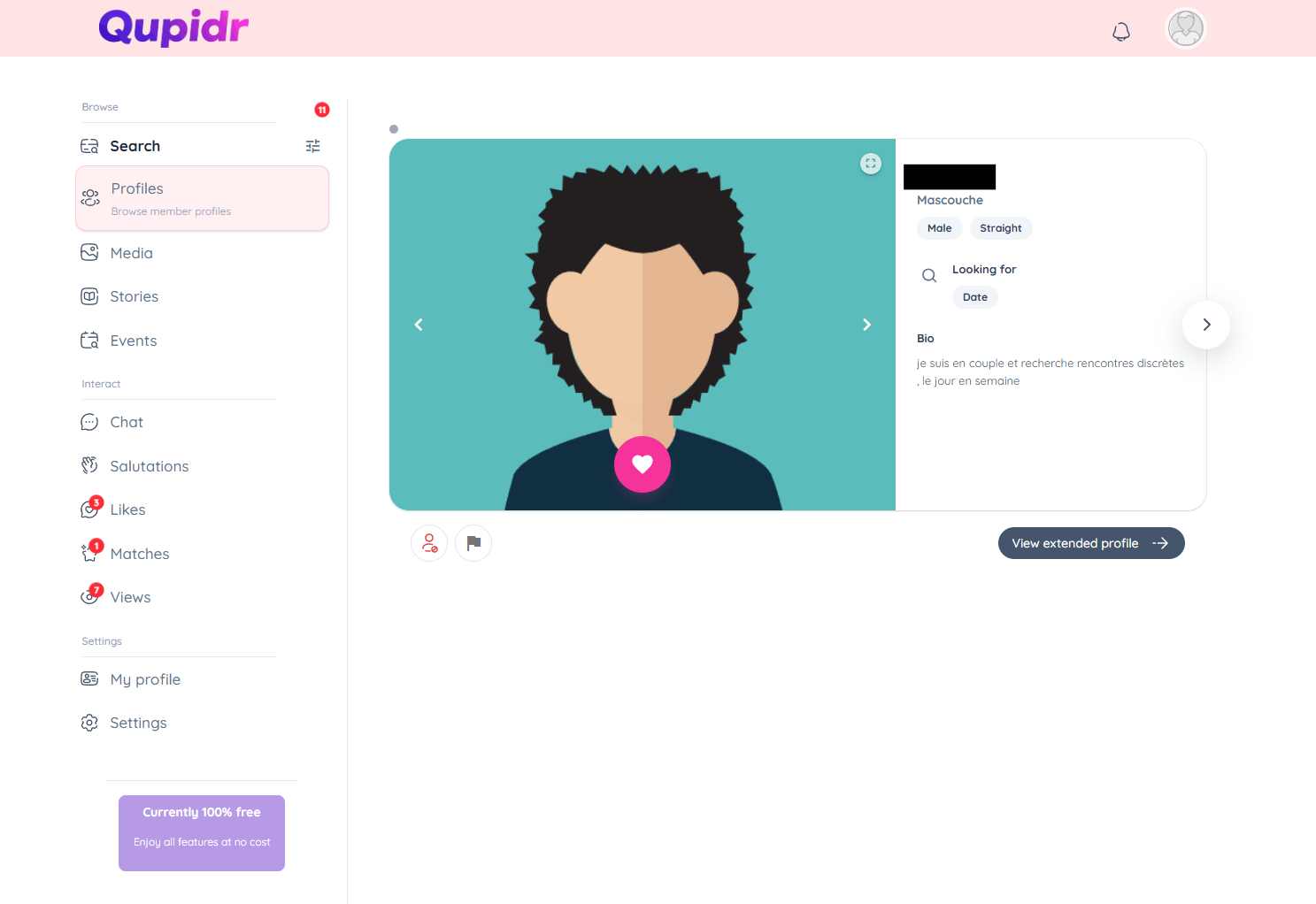
- The member's main photo is displayed large.
- Their first name, age, city and a short description are visible.
- Use the action buttons at the bottom to interact.
2
Like or skip a profile
For each profile, you have two main actions: like or skip.
- Click the heart or swipe right to like.
- If the other person likes you back? it's a Match!
- Click the arrow or swipe left to see the next profile.
3
Filter profiles
Refine your search with the filters available at the top of the page.
- Filter by age, distance or gender.
- Profiles update instantly after applying filters.
- Reset filters to return to the full list.
4
View a member profile
Click "View full profile" to access all the member's information.
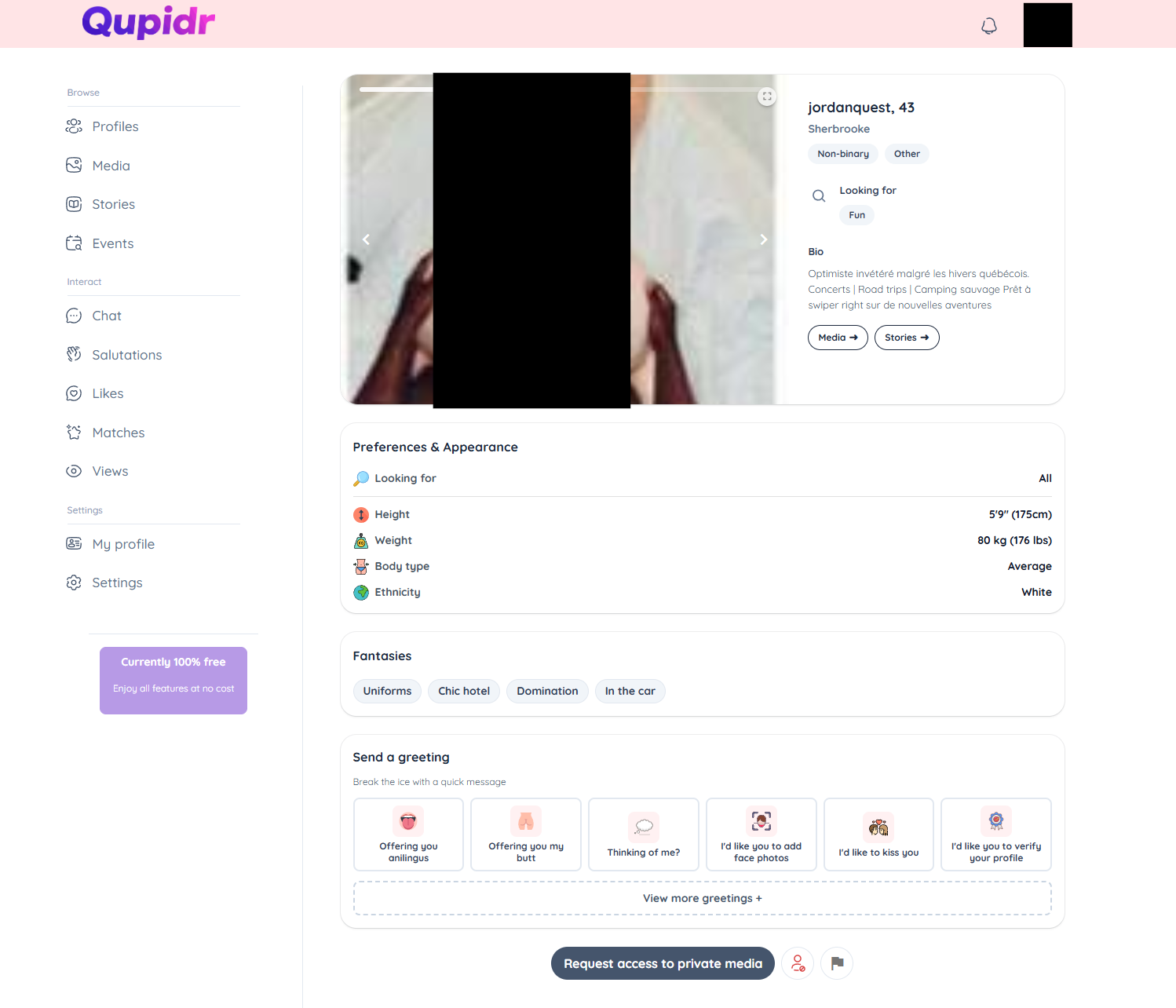
- Complete photo gallery.
- Detailed description, interests and preferences.
- Report or block options available from this screen.
5
Who liked or viewed you
Check the list of people who liked or visited your profile.
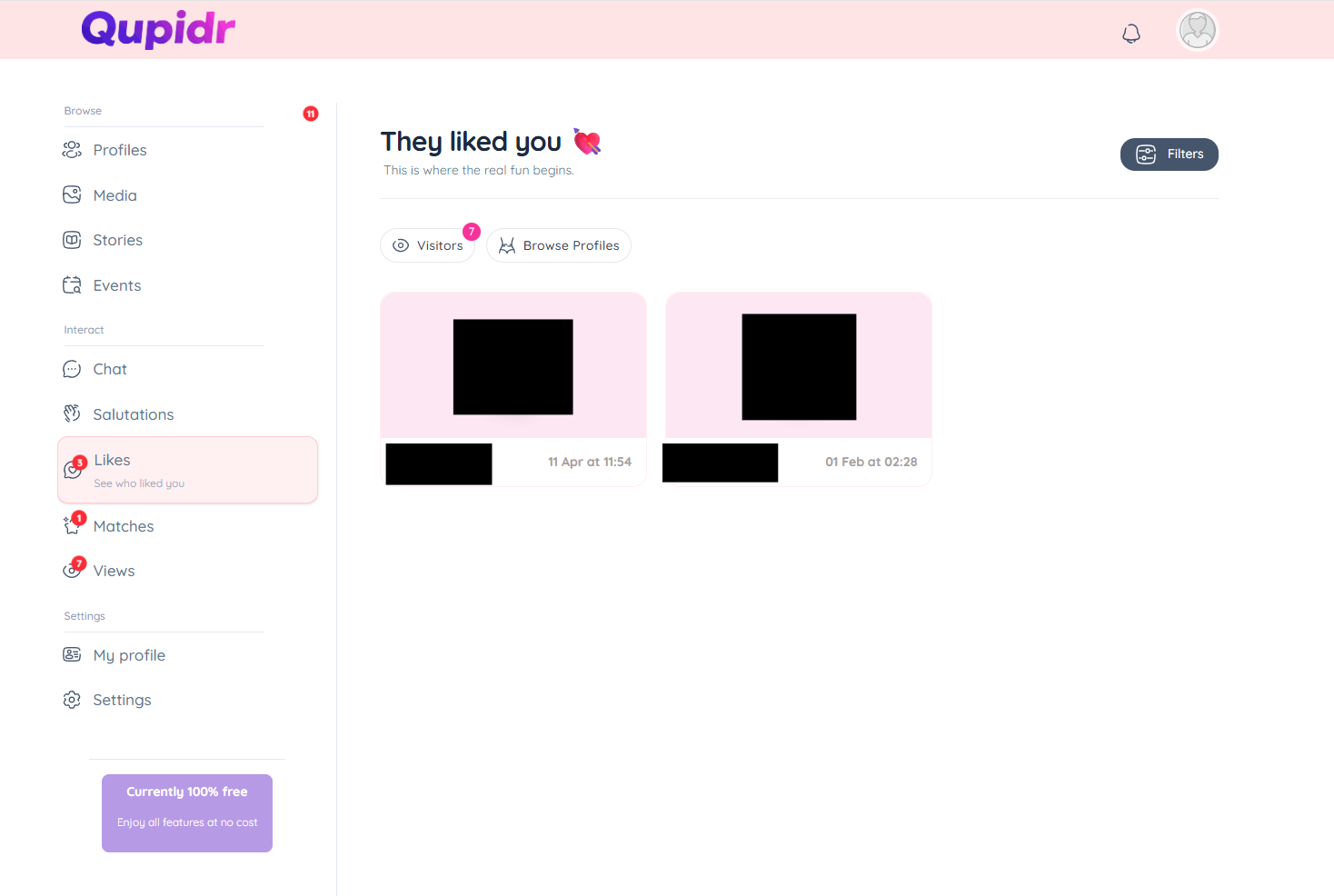
- My received likes: members who liked your profile.
- My views: members who recently visited your profile.